Features > Camping > Campground and RV iPhone App is finally released
Campground and RV iPhone App is finally released
Just in time for summer, I finally got my Camping and RVing iPhone released. 1.1 is now out and adds a manual lookup. You can select your interstate or highway and lookup the data without service. I'll update the app regularly as well, probably once every week or two. I want it to be the best overall road app for those who are camping or RVing as well as a good reason to get an iphone and dump some weight in old books.
Using much of the data I have with this website, it puts it into a more usable format on the road. It locates you and shows you what is around you. You can filter by what you are looking for or search way on ahead in other areas of your trip.
The app has two modes. One that uses GPS location services and finds you and then plots everything on a map near you. The other is the manual lookup. Data is stored locally so you can look up your interstate or highway choice and view the data. Maps and directions still require internet access from there of course.
*13,850 campgrounds. KOA, Private, State Parks, National Parks, BLM, National Forest, Army Corps of Engineers. Even primitive hike-in/boat-in spots. Expanded details for most of them.
*Walmart (with Parking and No Parking noted, along with comments from those like you.)
*Overnight Parking like casinos and other options.
*2,800 Truck Stops with amenities, if RVs are welcome, and what else is nearby.
*Outdoor Supply Stores (Camping World, Cabelas, Gander Mountain, Dicks, Bass Pro Shops)
*750 RV dealers and service places (adding some more in the next couple weeks to be more complete)
*2,455 Rest Areas, Welcome centers, turn outs, service plazas, and scenic vistas broken down by heading. Only heading northbound and don't want to see southbound rest stops that you can't use? You can filter Rest Areas and Turnouts by the direction you are heading. A detail view lists each rest stops amenities like restrooms, picnic tables, vending machines, pet-friendly, RV dump, handicap accessible, security and even wi-fi. (Changing with budget cuts)
I accept and listen to all requests to make the app better. What kind of data or options do you want?
Here are some screen shots of the app and a few words about each.
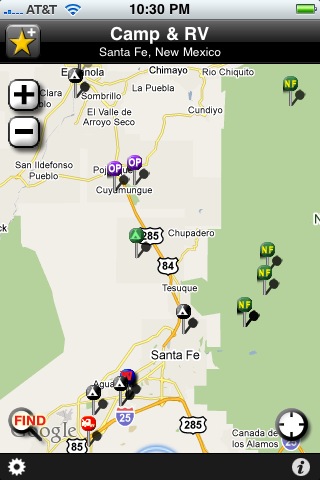
The main map view, zoom buttons or pinch. Select lower left Find button to filter or search. Select each point to bring up detailed view.
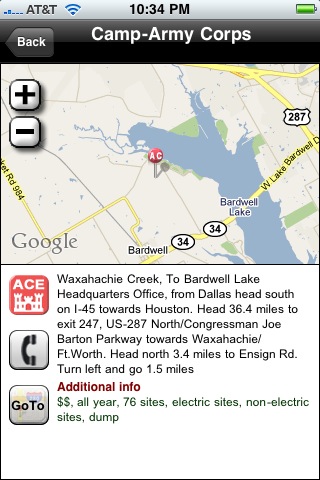
The detail view for each point in the app includes map, more information and amenities for most, buttons to dial phone number and for directions with Google maps.
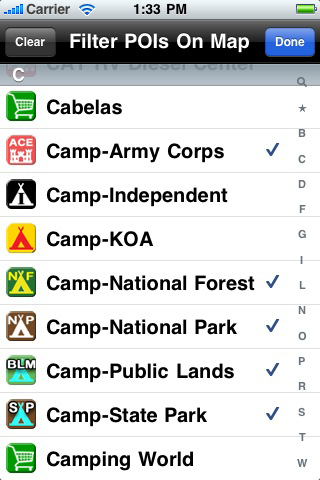
Filter points on the map view. This is handy when you want to see only public lands, Wal-marts, rest areas in one direction or whatever. You can zoom out to view up to 150 points on a single view.
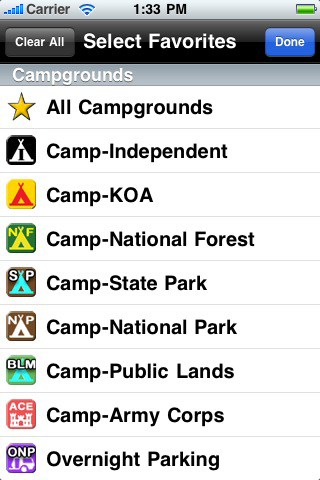
Select favorites to move them up in your list on the view screen.
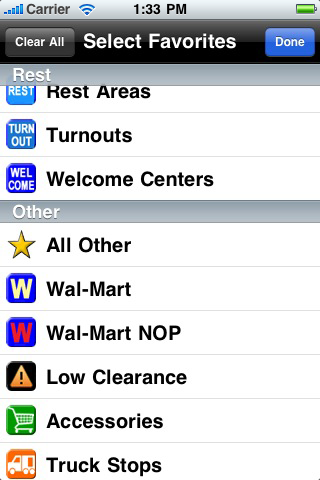
Select favorites to move them up in your list on the view screen.
 AllStays Pro Online
Pure information, faster, no ads, privacy, full screen maps, more filters, layers for weather, traffic, biking, transit, over half a million search combinations. Join now
Feature Categories
More Posts
Featured Apps
AllStays Hotels By Chain
Find all kinds of beds near you. All the chains. The only app that puts you one button from the front desk. The data is stored in the app so you aren't waiting to download information (or ads). Works with or without service.
Camp & RV
The number one camping app. From resorts to hike-in spots. Amenities, maps, truck stops, rest areas, Wal-mart and casino parking and much more.
Most Recent Posts